How to use Form Payments
Ask for payment with every Google Form response. Each person gets an email with an itemized total and buttons to pay by card or PayPal, and you see who's paid.
- Works inGoogle Forms
- Set-up timeAbout 10 minutes
- Free plan10 payment requests a month
Step 1 of 7
Open Form Payments in your form
Open your form in edit mode. Your form needs a way to know each person's email: turn on Collect email addresses in the form's Settings, or ask for it in a question.
- Click the puzzle piece (Add-ons) at the top of the form.
- Choose Form Payments, then Open Form Payments.
- Go to the Setup tab.
If it doesn't work
- The panel says it could not read your sheet or form. Google add-ons only work in the account you signed in to first in this browser. Use a separate Chrome profile for this account, or sign out of all accounts and sign in to this one first. How to fix it.
Step 2 of 7
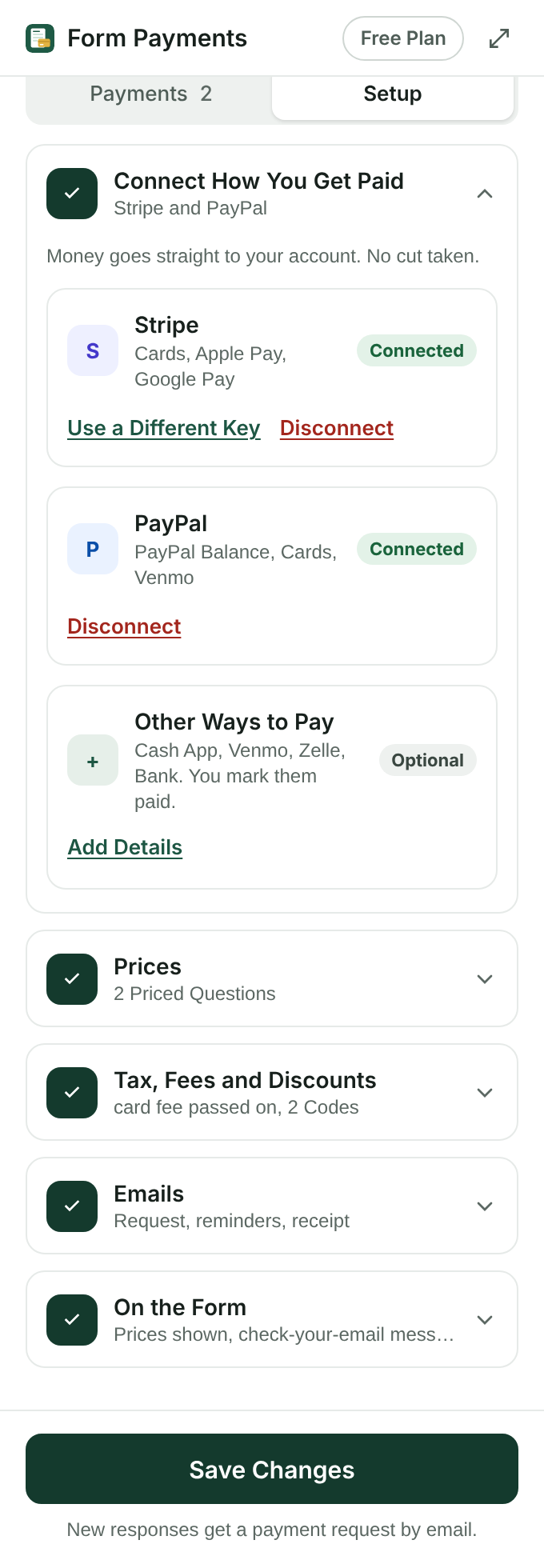
Connect how you get paid
Money goes straight to your own Stripe or PayPal account. Form Payments never takes a cut.
- Stripe: create a restricted key in your Stripe dashboard with write access to Products, Prices and Payment Links and read access to Checkout Sessions, then paste it.
- PayPal: paste your PayPal app's Client ID and Secret.
- Other Ways to Pay (optional): add your Cash App, Venmo or Zelle details, or say "pay at the door".
If it doesn't work
- "Couldn't Reach Stripe". Check the key has the permissions above, and that it's a live key (rk_live…) if you want real payments. Test keys (rk_test…) only take test cards.
Step 3 of 7
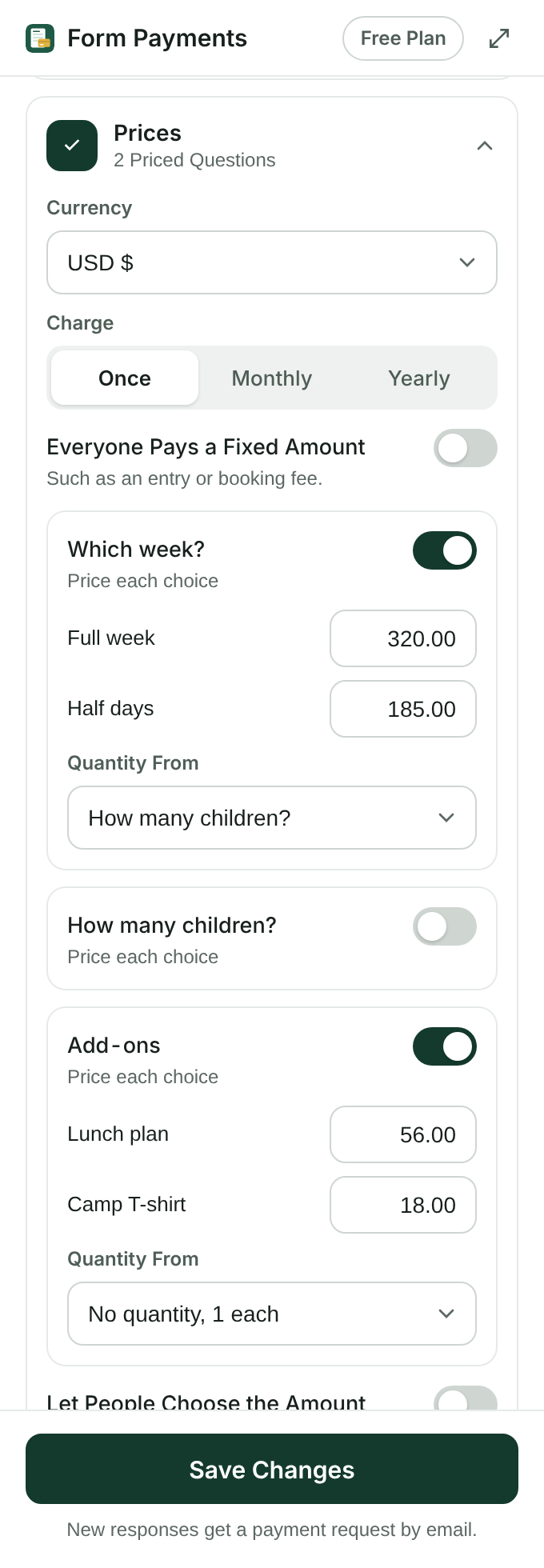
Set your prices
Prices come from the answers: a price for each choice, multiplied by a quantity question if you have one.
- Pick the question and type a price next to each choice.
- Optional: Everyone Pays a Fixed Amount, Quantity From a question, add-ons, or Let People Choose the Amount for donations.
If it doesn't work
- A question isn't listed. Prices work with multiple-choice, checkbox, dropdown, scale and short-answer (number) questions.
Step 4 of 7
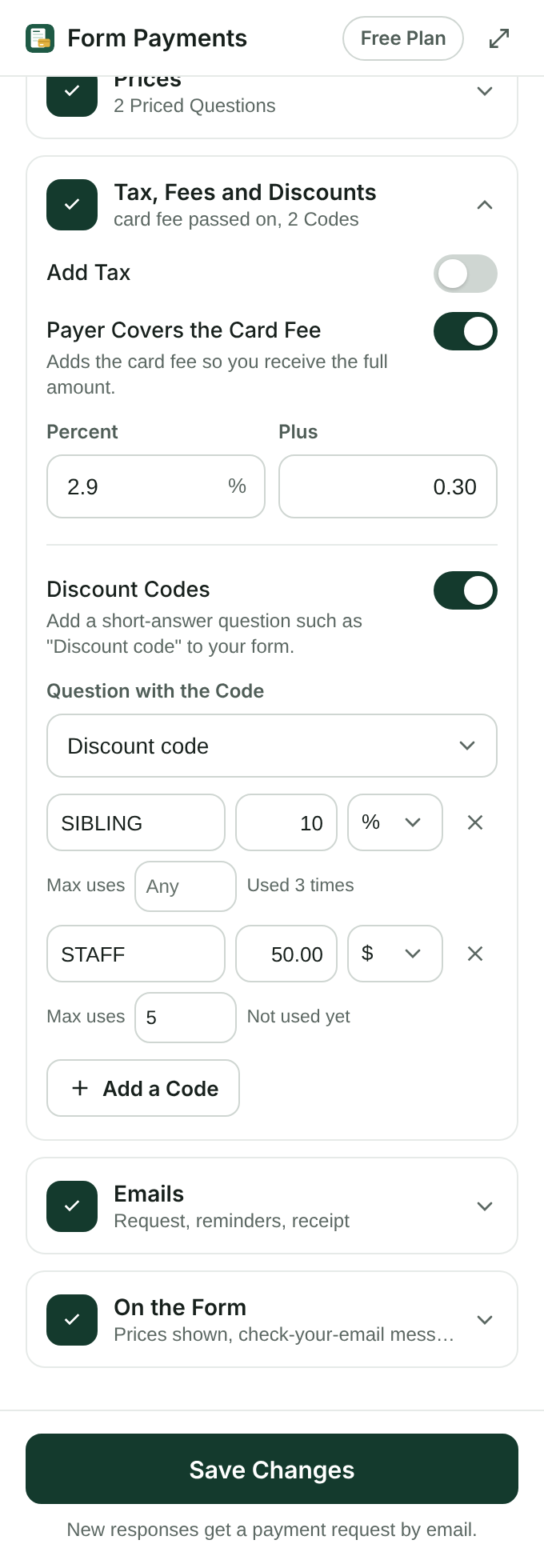
Tax, fees and discount codes (optional)
Add tax, pass the card fee on to the payer, or create discount codes with limits.
- Turn on Add Tax and type the rate.
- Turn on Payer Covers the Card Fee if you want.
- Under Discount Codes, pick the question with the code and add codes.
Step 5 of 7
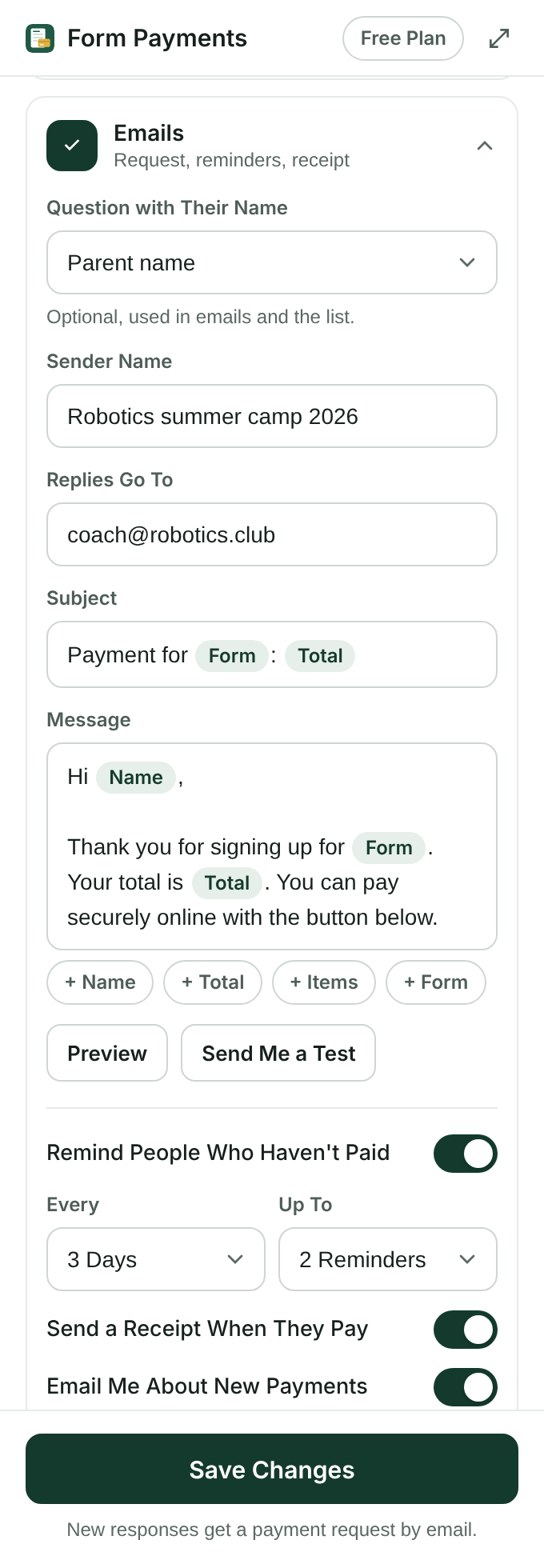
Write the emails
Each person gets a payment request with an itemized total. Unpaid people can get gentle reminders, and everyone gets a receipt when they pay.
- Set the Sender Name, Replies Go To and Subject.
- Edit the message. Tags like Name and Total are filled in for each person.
- Click Send Me a Test to see it in your inbox.
- Turn on Remind People Who Haven't Paid and choose how often.
If it doesn't work
- Emails aren't arriving. Check the person's spam folder, and that your form collects email addresses.
Step 6 of 7
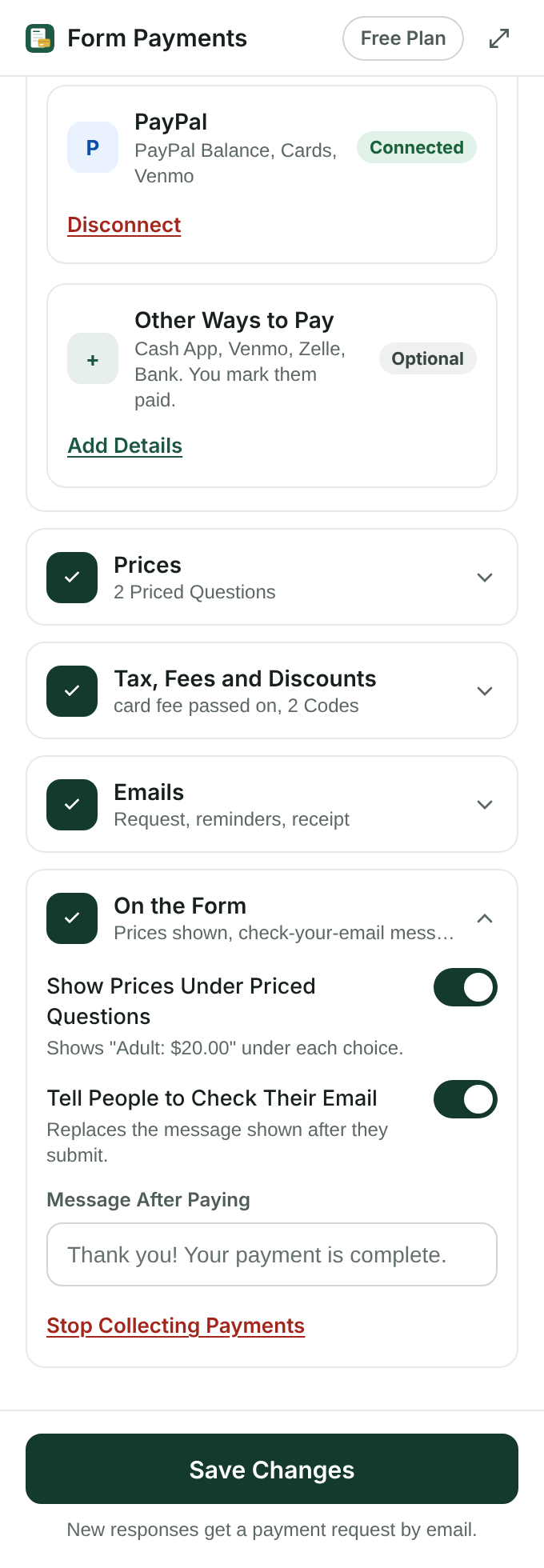
Show prices on the form
Let people see prices while they fill in the form, and tell them to watch for the payment email.
- Turn on Show Prices Under Priced Questions.
- Keep Tell People to Check Their Email on.
- Click Save Changes.
Step 7 of 7
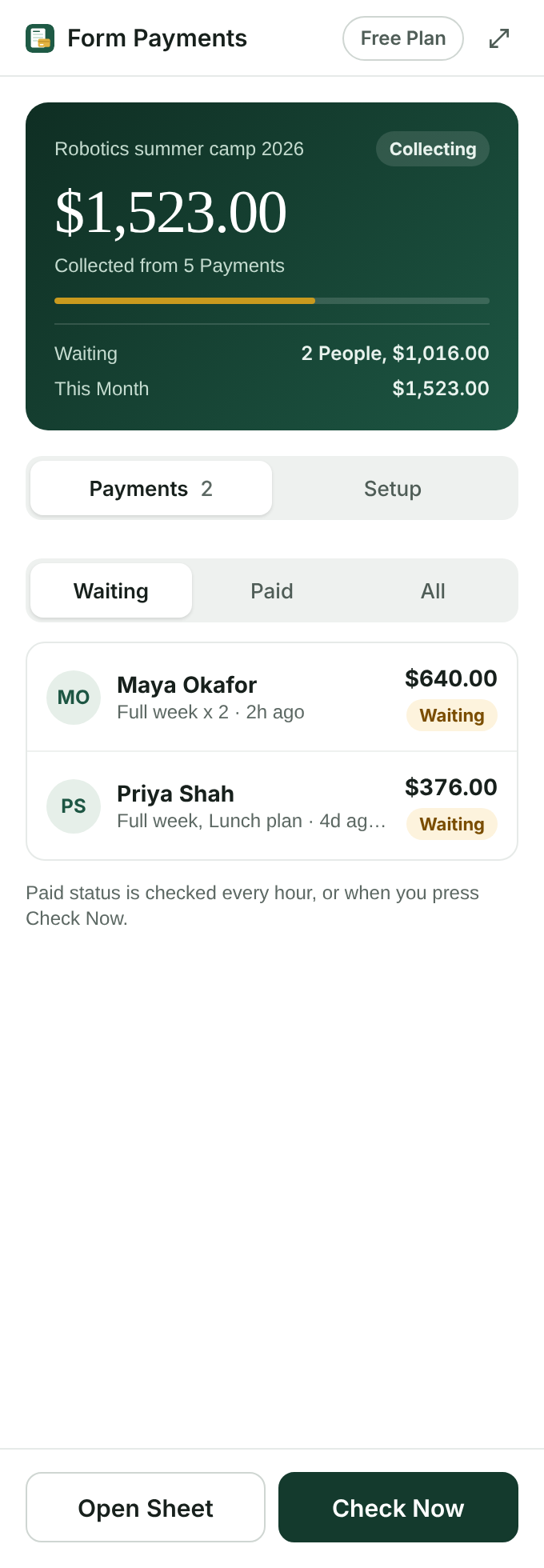
See who's paid
The Payments tab shows what's been collected and who's still waiting. Everything is also kept in a spreadsheet called Payments: (your form) in your Drive.
- Click Check Now to look for new payments. Form Payments also checks every hour.
- Paid in cash or check? Open the person and choose Mark as Paid. They get a receipt.
- Click Open Sheet for the full record.
If it doesn't work
- Someone paid but still shows as waiting. Click Check Now. Card payments can take a minute to show.
- I need to stop one request. Open it and choose Cancel Request. Its payment links stop working.
Still stuck?
Email northpineapps@gmail.com with a screenshot of the panel and what you expected to happen. We usually reply within a day.