Print mailing labels straight from your Google Sheet.
Spreadsheet Labels is a Google Sheets add-on that turns a list of names and addresses into a print-ready label document in seconds. Choose your label sheet, check the preview, and print. No mail-merge setup, no copying into Word.
Avery 5160, 30 address labels per sheet. This one starts at label 5 because the first four were already used.
Three steps, without leaving your sheet
Spreadsheet Labels opens in a panel beside your spreadsheet, from the Extensions menu.
-
1
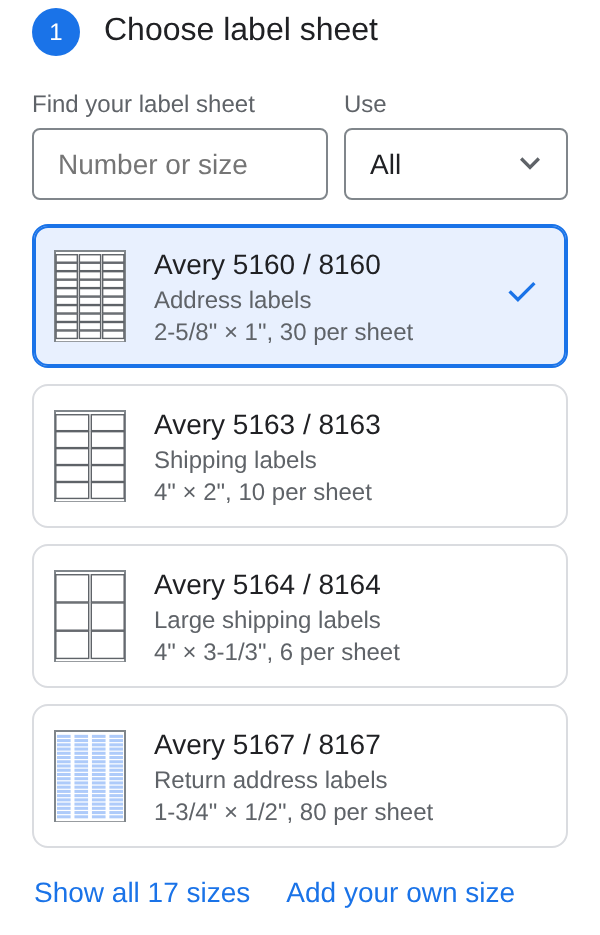
Choose your label sheet
Pick the Avery number printed on your package of labels, or add your own size.
-
2
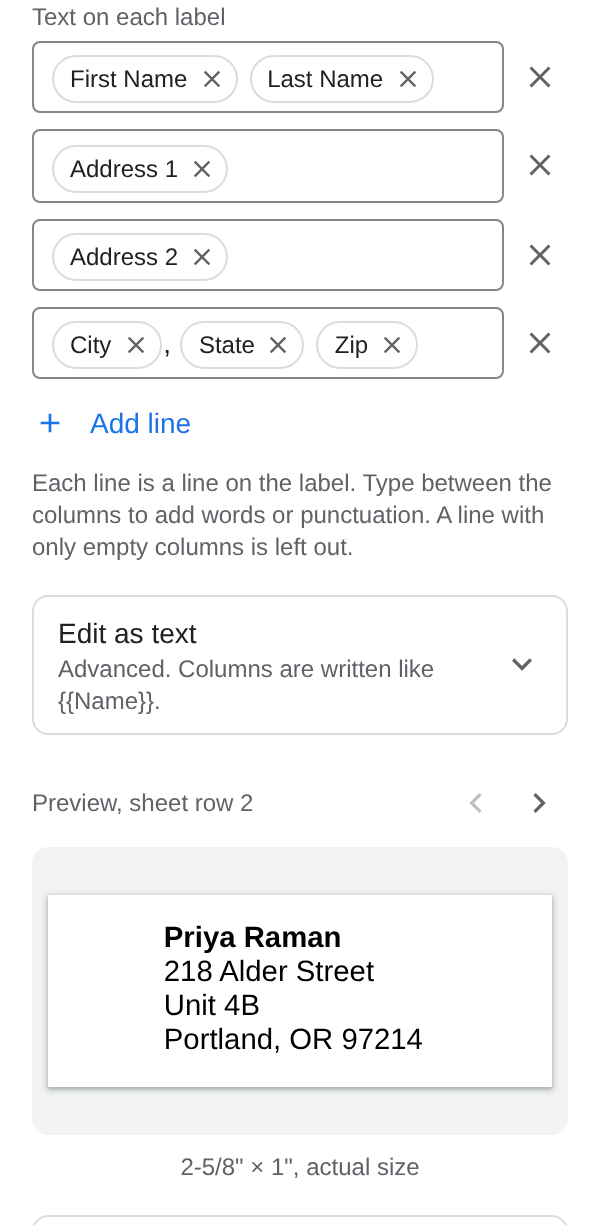
Arrange the text
Spreadsheet Labels finds the name and address columns for you. Click a column to add it to the label, and check every row in the preview.
-
3
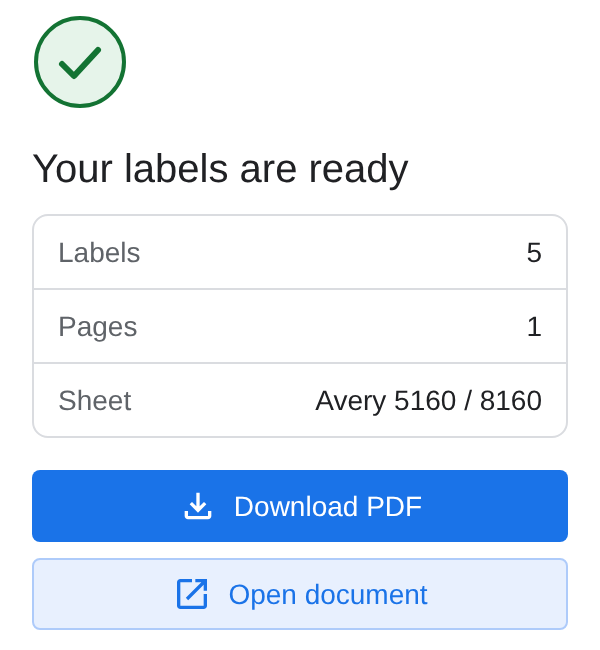
Create labels and print
You get a Google Doc and a PDF. Print a test page on plain paper first, then print on your labels at actual size.
Label sheets it prints
Each layout follows the sheet's published measurements. The same layouts work for the compatible product numbers listed under each one.
| Sheet | Used for | Label size | Per sheet |
|---|---|---|---|
| Avery 5160also 8160, 5260, 18160 | Address | 2-5/8" × 1" | 30 |
| Avery 5161also 8161, 5261 | Address | 4" × 1" | 20 |
| Avery 5162also 8162, 5262 | Address | 4" × 1-1/3" | 14 |
| Avery 5163also 8163, 5263 | Shipping | 4" × 2" | 10 |
| Avery 5164also 8164, 5264 | Large shipping | 4" × 3-1/3" | 6 |
| Avery 5168also 8168 | Large shipping | 3-1/2" × 5" | 4 |
| Avery 5167also 8167, 5267 | Return address | 1-3/4" × 1/2" | 80 |
| Avery 5195also 8195 | Return address | 1-3/4" × 2/3" | 60 |
| Avery 5366also 8366 | File folder | 3-7/16" × 2/3" | 30 |
| Avery 5371also 8371 | Business card | 3-1/2" × 2" | 10 |
| Avery 5395also 8395 | Name badge | 3-3/8" × 2-1/3" | 8 |
Envelopes
- #10 9-1/2" × 4-1/8"
- #9 8-7/8" × 3-7/8"
- A7 7-1/4" × 5-1/4"
- DL 220 × 110 mm
- C5 229 × 162 mm
- C6 162 × 114 mm
Don't see your sheet? Add your own size in Spreadsheet Labels, or email us the product number.
Help before you print
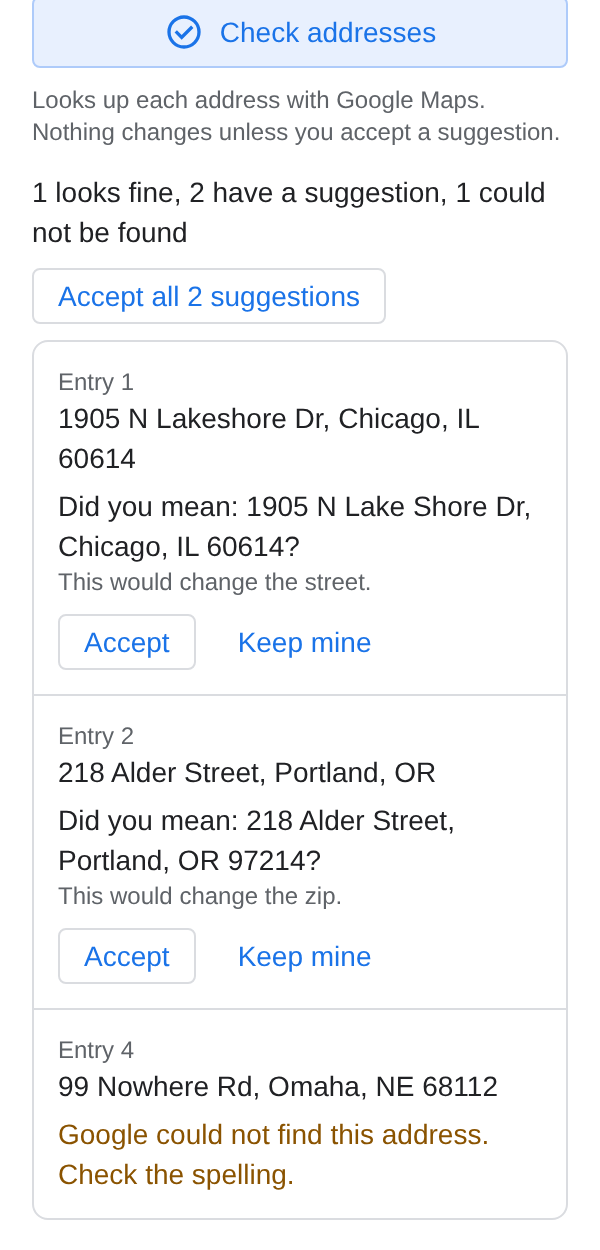
- Check addressesLooks up each address with Google Maps and suggests fixes before you print. Nothing changes unless you accept a suggestion.
- QR codes and barcodesPut a QR code or barcode on every label, made from a column in your sheet (a different one for each label) or the same for all: a link to your shop, an order number, an RSVP link or an asset tag. Code 128 and EAN-13 barcodes are supported, and you choose the size and position.
- Logos, pictures and a return addressAdd your logo or a picture from a link in each row, a return address in the corner, and cut lines for plain paper.
- Partly used sheetsStart at any label on the sheet, and print several copies of each label.
- Printer alignment test pagePrint outlines on plain paper, hold them against your label sheet, and shift the layout if your printer is off.
QR codes and barcodes on every label
Spreadsheet Labels makes them itself, from a column in your sheet (a different code on each label) or the same code on every label. Choose the size, and whether the code sits beside or below the address.
Pricing
Start free. Upgrade from inside Spreadsheet Labels when you need more pages.
Free
Documents of up to 3 pages, which is 90 labels on Avery 5160. No account needed.
Pro yearly
No page limit. Renews each year. Cancel anytime.
Pro lifetime
No page limit. One payment.
Payments are processed by Lemon Squeezy, our reseller and merchant of record. After you buy, your license key arrives by email.
Not happy? Email us within 7 days of purchase for a full refund.
Your addresses stay in your Google account
Spreadsheet Labels runs inside your own Google account. It reads only the sheet you open it in and the label documents it creates. We don't run a server that receives your sheet, and we don't copy, store, sell or share your addresses.
More from Northpine
The same care, for Google Forms and certificates.
 Certificate MakerPersonalized PDF certificates from a sheet or a Forms quiz, emailed for you.
 Form PaymentsStripe and PayPal payments for Google Forms, with reminders and a live dashboard.
 Form LimitsPlaces per choice, a real waitlist and opening hours for Google Forms.
Questions?
Questions, or a label size we don't support yet? Write to us. We reply within 2 business days.
northpineapps@gmail.com